
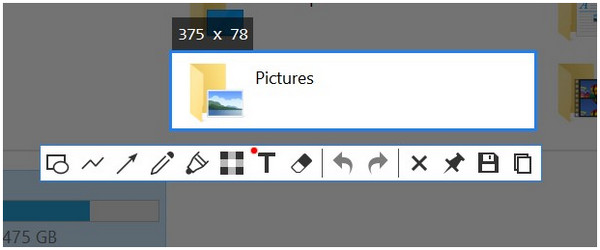
In a digital workspace saturated with notifications and fragmented attention, the humble utility app is rarely hailed as an agent of focus. Yet, a 2024 study by the Digital Workflow Institute found that knowledge workers who actively use annotation tools report a 30% decrease in context-switching fatigue. This is where Snipaste, the powerful screenshot and pinning tool, transcends its basic function. Beyond capturing pixels, it can be reinterpreted as an unconventional instrument for digital mindfulness, creating a static, visual layer over the chaotic dynamic web of our screens.
The Anchoring Layer: Pinning for Presence
Digital mindfulness advocates for intentional engagement with our screens, combating the autopilot of endless scrolling. Snipaste’s signature “pin” feature allows any snippet—text, image, color code—to be pinned as a always-on-top overlay. This creates a fixed reference point amidst the flux. Unlike a buried browser tab or a forgotten note file, a pinned item demands a gentle, visual acknowledgment. It serves as a digital post-it that doesn’t hide, training the user to maintain a core task visually while other applications churn beneath it.
- Visual Single-Tasking: Pinning a project brief next to a blank document fences your focus area, reducing the temptation to alt-tab to distractions.
- Context Preservation: By pinning a crucial piece of information from a fast-moving chat, you decouple it from the anxiety of the stream, allowing for calm processing.
- Reduced Cognitive Load: The pinned layer acts as external, stable working memory, freeing mental RAM for deep thought rather than recall.
Case Studies in Focused Application
The Academic Researcher: Maria, a PhD candidate, uses Snipaste to pin complex graphs from different papers side-by-side directly over her writing software. This visual comparison, impossible with traditional window management, allows her to synthesize findings without losing her analytical thread, cutting her literature review time significantly.
The Software Developer: Alex pins a snippet of an API documentation key detail directly over his code editor. This eliminates the constant back-and-forth between browser and IDE, a minor switch that compounds into major distraction. He reports fewer “what was I doing?” moments during deep debugging sessions.
The Creative Director: During virtual brainstorming, Sam pins rapid-fire team ideas shared in chat onto a pinned blank canvas. This live, collective mood board evolves in real-time over the shared screen, focusing the conversation and ensuring no contribution visually disappears.
Cultivating Intentional Pixel Habits
This perspective shifts Snipaste from a reactive tool (capture that error message) to a proactive one (scaffold your attention). It encourages users to ask: “What do I need to keep in my visual field to stay present with this task?” The act of selectively snipping and pinning becomes a mindful pause—a deliberate curation of the digital workspace. In an era of overwhelming digital noise, the ability to create a simple, persistent, and personal visual anchor is not just a productivity hack; it’s a small act of reclaiming focus and practicing intentional presence, one pinned snippet at a time.